

Customer Relationship Management (CRM) systems have become essential even for small teams. Modern CRMs help businesses track leads, manage customer interactions, automate sales workflows, and improve customer retention all while centralizing critical data in one place. But with so many options available, choosing the right CRM can be overwhelming for small teams with limited budgets and resources.
In this expert review, we’ve tested and evaluated the best CRM tools for small teams in 2025, considering ease of use, affordability, scalability, automation capabilities, and integrations.

What Small Teams Need in a CRM – Expert Perspective
Before diving into the tools, it helps to understand what makes a CRM truly effective for small teams:
- Ease of use – Minimal setup and intuitive interface
- Affordability – Low entry cost with scalable plans
- Lead & contact management – Simple tracking and segmentation
- Automation features – Workflows, email sequences, reminders
- Integrations – Email, calendar, marketing tools, payments
- Growth readiness – Ability to scale with the team
According to industry analysts, many small businesses struggle with CRM projects because they select enterprise systems that are too complex or expensive for their needs. The tools below are carefully chosen to avoid that pitfall.
1. HubSpot CRM – Best Free Start + Scalable Growth
Overview
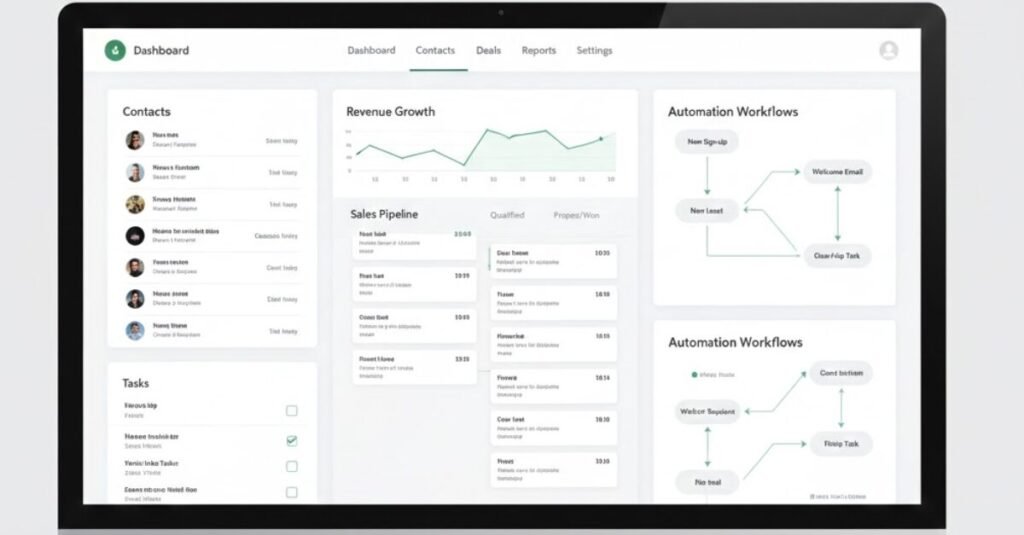
HubSpot CRM is one of the most popular choices for small teams due to its free tier, user-friendly experience, and growing feature set. It offers everything a small team needs to get started without paying upfront.
Key Features
- Contact & deal management
- Email tracking and notifications
- Task management and sales pipeline view
- Free integrations with email, calendar, forms
- Scales into paid Marketing, Sales, and Service Hubs
Why It’s Great
HubSpot’s free CRM includes powerful features that would cost extra in other platforms. It also offers seamless upgrades when your team needs automation, reporting, or advanced analytics.
Best For
Startups, solopreneurs, and teams new to CRM

2. Zoho CRM – Best All-Around Value
Overview
Zoho CRM provides a robust set of tools at a very competitive price point. It’s flexible and highly customizable, making it suitable for small businesses that expect to grow.
Key Features
- Workflow automation
- Sales forecasting
- Multichannel communication (email, social, chat)
- Built-in analytics
- Marketplace integrations
Why It’s Great
Zoho CRM strikes a balance between affordability and functionality. The platform offers sales and marketing automation features often found in higher-tier tools.
Best For
Small teams with growth ambitions
3. Pipedrive – Best for Sales-Focused Teams
Overview
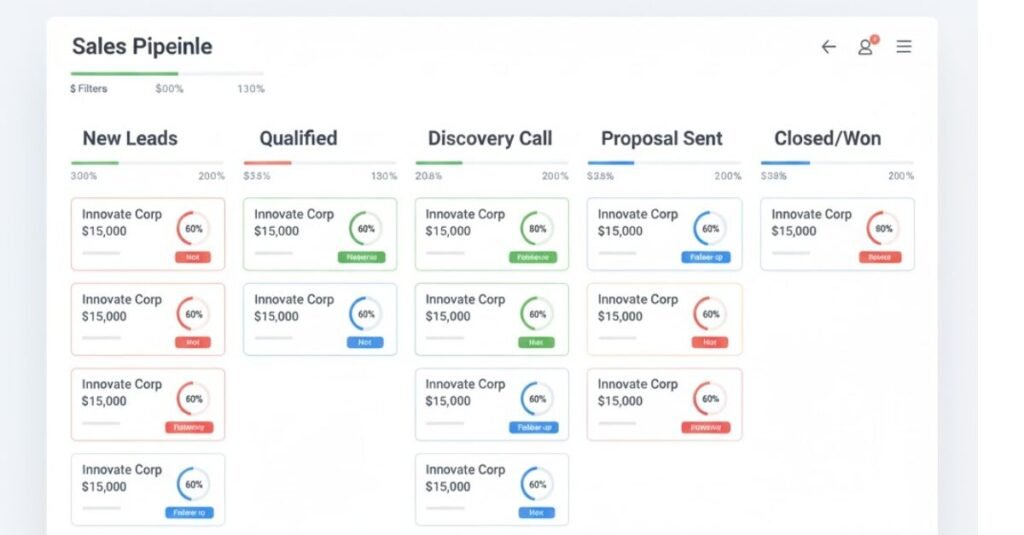
Pipedrive is designed around the sales pipeline, making it ideal for teams focused on closing deals and managing forecasts. Its visual pipeline and ease of use are consistent highlights in user reviews.
Key Features
- Visual sales pipeline
- Activity reminders
- Email integration and tracking
- Revenue forecasting
- Automation workflows
Why It’s Great
Pipedrive’s visual approach simplifies deal management, helping teams stay focused on the most important tasks. It’s one of the easiest CRMs to adopt.
Best For
Sales teams and SMBs focused on deal closure
4. Freshsales (Freshworks CRM) – Best for Simplicity + AI Insights
Overview
Freshsales (part of the Freshworks suite) offers a clean, modern interface and increasingly strong AI features for lead scoring and forecasting.
Key Features
- Contact management
- Built-in phone and email
- AI-driven insights
- Workflow automation
- Mobile app
Why It’s Great
Freshsales integrates communication and automation effectively, which is perfect for small teams that want all-in-one functionality without complexity.
Best For
Small sales & support teams
5. Salesforce Essentials – Best Enterprise-Grade for Small Businesses
Overview
Salesforce Essentials is the small-business edition of the industry’s most powerful CRM. It brings Salesforce’s suite of tools into a more affordable, simplified package.
Key Features
- Lead & opportunity management
- Task & event tracking
- Email integration
- Customizable dashboards
- App ecosystem access
Why It’s Great
For small teams that want enterprise power and future scalability, Salesforce Essentials offers a strong platform with room to grow into the broader Salesforce ecosystem.
Best For
Small teams planning to scale quickly
6. Monday Sales CRM – Best for Visual Workflow Teams
Overview
Built on Monday.com’s work OS, Monday Sales CRM turns deal tracking into a visual, flexible workflow. Its strengths lie in customization and visual clarity.
Key Features
- Drag-and-drop pipelines
- Custom dashboards
- Team collaboration tools
- Automated reminders
- Integration with task boards
Why It’s Great
If your team works visually and values collaborative workflows, Monday Sales CRM blends project management and CRM in one place.
Best For
Teams that prefer visual workflows
How We Tested These Tools
Our evaluation considered:
- Feature depth vs ease of use
- Pricing and value for small teams
- Integration capabilities
- Customer support quality
- Scalability potential
We cross-referenced product documentation, user reviews, and independent expert insights to ensure accuracy.

Expert Advice for Small Teams Choosing a CRM
– Start with your goals. Do you need basic contact tracking, or full sales automation?
–Try before you buy. Free plans and trials are valuable for hands-on assessment.
–Think long-term. Choose a platform that can scale with your team.
–Consider integrations. CRM should fit into your email, calendar, and marketing toolset.
Conclusion – Which CRM Is Best for Your Team?
There’s no one-size-fits-all CRM, but based on ease of use, value, and growth potential:
- Best Free Starter: HubSpot CRM
- Best Value: Zoho CRM
- Best for Sales Teams: Pipedrive
- Best for AI Insights: Freshsales
- Best for Enterprise Scalability: Salesforce Essentials
- Best for Visual Workflow: Monday Sales CRM

Small teams should evaluate their use cases and choose the CRM that aligns with their current workflows while keeping scalability in mind.